1095-a 2016 PDF Template
Stop searching and find out why people love the ease of creating beautiful and legally compliant 1095-a 2016 PDF with PDFSimpli.
Stop searching and find out why people love the ease of creating beautiful and legally compliant 1095-a 2016 PDF with PDFSimpli.




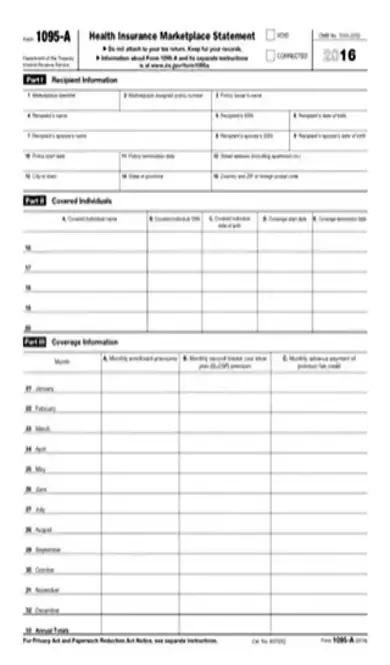
A Form 1095-A is known as a Health Insurance Marketplace Statement. It is used by the Department of the Treasury Internal Revenue Service. This report is used in order for an individual to be able to enroll in a health plan they are qualified for within the Health Insurance Marketplace. It can allow an individual to be able to receive tax credit or be able to file tax returns.
Under Obamacare, otherwise known as the Affordable Care Act, individuals must enroll in health insurance. The Form 1095-A allows individuals to receive a Premium Tax Credit. This should help to diminish the cost of medical health insurance coverage. When you purchase insurance through the Health Insurance Marketplace, you receive the Form 1095-A to begin the process of filing your request for tax credit or tax return.
The Form 1095-A must be used in order for an individual to be eligible to enroll in a health plan within the Health Insurance Marketplace. An individual that is looking to file a catastrophic health plan does not need to file a Form 1095-A. Individuals that purchase insurance coverage and are qualified under the Affordable Care Act should receive a copy of the Form 1095-A in order to begin the process to file for their Premium Tax Credit.
A Form 1095-A is needed to be filed and processed on or before January 31. This will give an individual coverage for the previous year. The file can be accessibly filed online through the Department of Health and Human Services Data Services online portal.
Failure to properly file the Form 1095-A could mean that an individual is not eligible to receive their Premium Tax Credit. This could mean being completely liable for any medical expenses that have been incurred throughout the previous calendar year and unable to file for any tax return in the future in regards to the previous calendar year. Filing the form accurately and on time is crucial in order to receive any tax benefits. Inaccurately portraying information on the form and knowingly forging any documentation with the IRS could also lead to legal consequences.
The Form 1095-A can be easily accessed though the online Marketplace system. It is important that all steps of the process are fully completed accurately and correctly in order to receive any requested tax returns:
Fill out the necessary information for the recipient. – Enter policy number and the policy issuer – Cite the name of the recipient – Record correct social security number – State birthday if necessary – Record information of spouse if applicable – Enter date that the policy coverage began – Enter date policy coverage ceased – Record address of recipient
Record details of covered individuals. – Cite information of spouse of recipient or any dependent members of the household. – You will need to know social security numbers and birthdays for children of the household.
Sign off on coverage information. – Record total monthly enrollment premiums for covered individuals under the policy – Report any other individuals that might be covered under the policy – Follow directions carefully and record coverage accurately – Record premiums for the second lowest cost silver plan – Cite the advance credit payments
Proofread the document and ensure that all of the information has been reported accurately and correctly. Note: A void statement will occur in the event that a policy that does not belong on the form is reported. A new form will be needed to be sent to the IRS and they will need to be alerted of this error as soon as possible. Corrections of the document can also be made my submitting a new document and marking correction on the top of the new document.
[pdf-embedder url=”https://cdn-prod-pdfsimpli-wpcontent.azureedge.net/pdfseoforms/pdf-20180219t134432z-001/pdf/1095-a-form-2016.pdf”]
No. You do not have to wait for a Form 1095-A to be filed before you receive your tax return. Other documentation can be used to cite the necessary information for your tax return.
Any new rules and regulations will be updated on the IRS website.
Select Language






© 2026 , WorkSimpli Software, LLC. All rights reserved.