2024 W2 Form Template
Stop searching and find out why people love the ease of creating beautiful and legally compliant 2024 W2 Form with PDFSimpli.
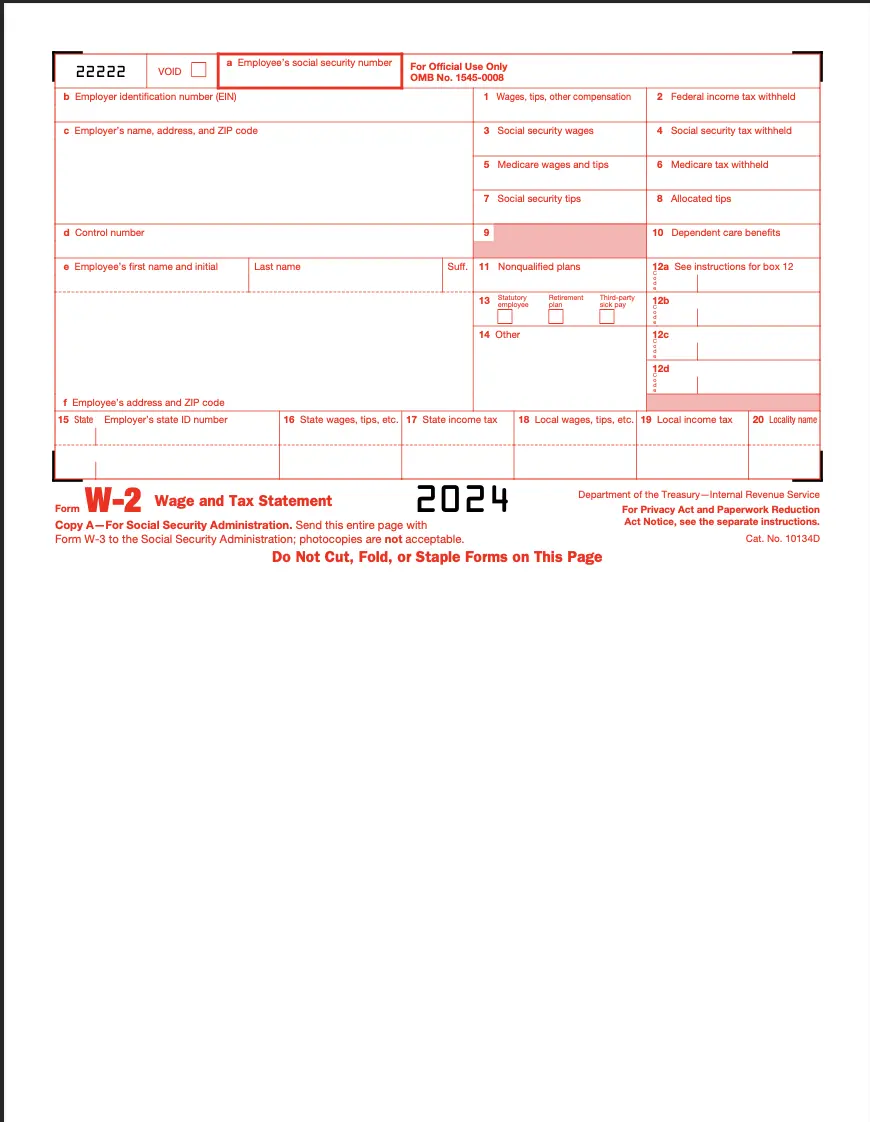
Stop searching and find out why people love the ease of creating beautiful and legally compliant 2024 W2 Form with PDFSimpli.




Form W-2, also known as the Wage and Tax Statement, is a critical document that employers must provide to employees each year. It reports the employee’s annual wages and the taxes withheld from their paycheck. This form is essential for preparing and filing accurate tax returns, ensuring compliance with IRS regulations.
Employers are required to fill out and distribute Form W-2 to:
Employees who earned at least $600 during the tax year.
Employees for whom federal income, Social Security or Medicare taxes were withheld, regardless of the amount of wages earned.
Contractors and freelancers are not issued Form W-2. Instead, they receive Form 1099-NEC for their work.
Businesses of any size that employ workers and pay taxable wages must comply with this requirement.
Preparation: Before you begin, gather all necessary information to complete the form accurately: Employer Identification Number (EIN) Employee’s Social Security Number Total wages paid and taxes withheld Deadline reminders: Employers must file Form W-2 with the Social Security Administration (SSA) by January 31st
Employer Identification Number (EIN)
Employee’s Social Security Number
Total wages paid and taxes withheld
Deadline reminders: Employers must file Form W-2 with the Social Security Administration (SSA) by January 31st
Choose PDFSimpli: PDFSimpli makes managing your Form W-2 easy, with no software downloads required. Simply upload your form to our secure online editor or get started with the form on our website. You fill it out, save and even sign it.
Fill out or edit Using PDFSimpli’s editor: Automatically detect fields by hovering over them (indicated by a blue box) Click to start typing in the detected field If no fields are detected, select the Text Tool and place text manually Add your signature using the Signature Tool — type, draw or upload an image of your signature.
Automatically detect fields by hovering over them (indicated by a blue box)
Click to start typing in the detected field
If no fields are detected, select the Text Tool and place text manually
Add your signature using the Signature Tool — type, draw or upload an image of your signature.
Review your form: Take time to review your completed Form W-2 for accuracy. Double-check all figures, names and Social Security Numbers, and ensure no sections are left incomplete.
Download and save: Once satisfied, click the download, save or print buttons at the top of the PDFSimpli editor. You can easily store a digital copy of your Form W-2 or print a physical version for your records.
Employers must issue Form W-2 to all employees by January 31st each year. This form must also be filed with the Social Security Administration (SSA) by the same date. Form W-2 is required for anyone who: Earned at least $600 during the tax year. Had federal income, Social Security or Medicare taxes withheld from their paycheck.Contractors and freelancers do not receive Form W-2; instead, they are issued Form 1099-NEC. Providing W-2 forms on time ensures employees can file their taxes without delays.
Yes, but it’s important to act quickly. If you notice an error on a Form W-2 after filing it with the SSA, you need to file Form W-2c (Corrected Wage and Tax Statement). This form allows you to update mistakes like incorrect wages, tax amounts or Social Security Numbers. Employers should notify employees immediately and provide them with a corrected copy. The IRS requires that corrections be made as soon as errors are identified to avoid penalties.
Failing to file Form W-2 by the January 31st deadline can result in significant penalties from the IRS. These penalties depend on how late the form is filed and can range from $50 to $550 per form, with a maximum penalty of $3.3 million per year for large businesses. The penalties increase the longer you delay, so it’s critical to stay on schedule. Using tools like PDFSimpli can help you manage and file your forms efficiently to avoid costly delays.
Absolutely. Form W-2 provides employees with the information they need to file their federal and state income tax returns accurately. It includes details about wages, tips and the taxes withheld during the year. Without it, employees may struggle to complete their tax returns correctly, potentially leading to delays in receiving refunds or penalties for underreporting income. If an employee loses their Form W-2, they should contact their employer immediately to get a replacement.
Yes, electronic signatures on Form W-2 are valid, provided they meet IRS guidelines. With PDFSimpli, you can securely add your signature directly to the form using our online editor. You can type your name, draw your signature or upload an image of your handwritten signature. Electronic signatures make it faster and easier to complete and submit forms while maintaining compliance with IRS requirements. This feature is particularly useful for businesses that need to issue multiple W-2 forms quickly.
Select Language






© 2026 , WorkSimpli Software, LLC. All rights reserved.