IRS 1041 for 2016 PDF Template
Stop searching and find out why people love the ease of creating beautiful and legally compliant IRS 1041 for 2016 PDF with PDFSimpli.
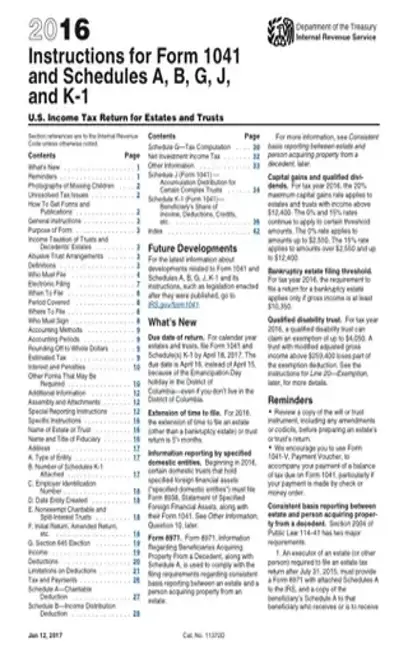
Stop searching and find out why people love the ease of creating beautiful and legally compliant IRS 1041 for 2016 PDF with PDFSimpli.




[toc] When a trust or estate generates income, that income is required to be reported through a Form 1041. This form is also called an Income Tax Return for Trusts and Estates. But with that said, any estate and trust beneficiaries who are entitled to receive this income must pay this income tax. All distributions of income that were made to a beneficiary should be reported with a Schedule K-1.
Form 1041 is the form you’ll use to report the income tax on any estate or trust. This is a different form from an estate tax return form, which you’d find at IRS Form 706. For the purposes of an estate, you use Form 1041 to track any income that an estate earns after the passing of the estate owner, but before the beneficiaries have received any of the designated assets.
It’s not required for every single estate to file Form 1041 regarding their income. If the estate doesn’t have any assets that produce income, or the gross income annually comes to less than $600, you aren’t required to file a return. There is one exception: if any of the beneficiaries is not a resident of the United States. When this is the case, returns must be filed regardless of the total.
Estates are not responsible for their own income taxes if their assets are distributed among the beneficiaries prior to earning income. If the beneficiaries receive the assets before they gain any income, it’s the beneficiaries who will be responsible for paying any taxes. In these cases, every beneficiary is given a Schedule K-1 form.
This form is used for estates and trusts that have an annual income of more than $600. When the form is related to an estate, the estate’s income must have been accrued in the period between its owners death and the distribution of its assets. Otherwise, the beneficiaries are responsible for the tax.
The Form 1041 return should be filed by the personal representative or executor of the estate.
Estate tax years don’t always line up with calendar years. A calendar year for an estate will typically begin on the day that the estate owner dies. It ends on December 31 of this same year. However, the executor has the option to elect to choose a particular fiscal year.
Doing so means that the tax year will end on the final day of the month before the death’s one year anniversary. After this, the executor is given up to 12 months for the filing of the income tax return. Estate tax returns are usually due around four months after the tax year ends.
If an executor intends to file Form 1041, they will need to get a taxpayer identification number specifically for the estate.
If you don’t file a Form 1041 when you’re supposed to, the best case scenario is that you won’t receive a tax return from the estate or trust. The worst case scenario is that you will have to pay back taxes and additional fees for the IRS. It’s best to make sure all estate taxes are taken care of in a timely manner.
You can use the following deductions to lower the total tax rate of the estate:
The first $600 in income can be claimed as an exemption
Executor fees can be taken out of the tax
Professional fees, such as for an accountant or lawyer, can be taken from the tax
Court filing fees and other administrative expenses can be deducted
Any required distributions to the involved beneficiaries can be deducted
In Box A, you’ll check the box next to the type of estate or trust that you’re filing for. This might be a decedent’s estate, pooled income fund, bankruptcy estate, or multiple different types of trust. You’ll need to provide the name of the trust or estate, along with the title and name of the fiduciary. Additionally, you’ll need to give the trust’s address, the trust’s employer identification number, and the date the trust was created.
The first several questions will be about denoting the trust’s income. You’ll note the income from interest, the total ordinary and qualified dividends, the business income, and any capital gains. You’ll also note rents, partnerships, and royalties. If there is any farming income or ordinary gains, these will be listed as well. After you’ve listed all relevant income, you’ll add up the numbers to calculate your total.
The next part of the form refers to the deductions. If you intend to claim any deductions from your taxes, this is the place to do it. You can write any attorney fees, charitable deductions, and fiduciary fees. After the deductions are recorded, you’ll add them together to calculate your deduction total. Then, you’ll subtract the deductions from the total income to find your adjusted total income.
The third part of the form is where you’ll record payments of taxes. Use the numbers you’ve already recorded to calculate your total taxable income. You’ll need to record any payments you’ve already made. After individual payments are recorded, you’ll add them to get your total payments. Record any taxes that are still due after the payments are taken into account. If you’ve overpaid the tax, you will also enter the amount you were overpaid so that you can receive a tax return.
At the bottom of the form, you’ll give your signature along with the date the form was filled out. If a paid preparer is taking care of the form, they’ll give their information at the bottom of the form as well.[pdf-embedder url=”https://cdn-prod-pdfsimpli-wpcontent.azureedge.net/pdfseoforms/pdf-20180219t134432z-001/pdf/irs-form-1041-for-2016.pdf”]
The exact tax rates might differ, but the same form should be used.
The best time to file is with any other business or personal tax paperwork.
You should have about four months following the death of an estate owner.
Select Language





© 2025 , WorkSimpli Software, LLC. A subsidiary of LifeMD Inc., All rights reserved.