Subtitles are no longer optional. With over 85% of social media video played without sound, and global audiences expecting content in their language, captions have moved from an accessibility feature to a competitive necessity.
Creating accurate subtitles manually is brutally time-consuming — a 10-minute video can take hours to caption properly. PDFSimpli’s AI Subtitle Generator changes that: upload your video, and receive synchronized, accurate captions in minutes.
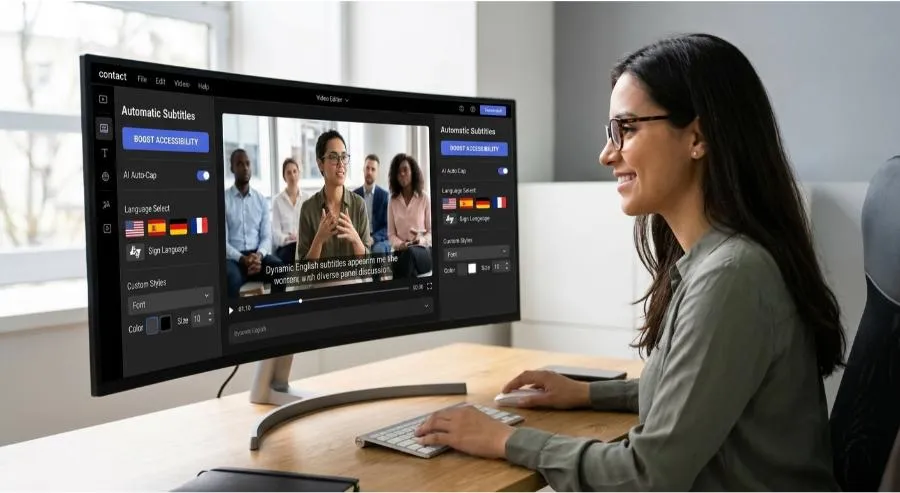
What PDFSimpli’s Subtitle Generator Produces
Closed Captions (CC)
Full captions including speech text, speaker identifiers, and sound descriptions for hearing-impaired viewers — meeting accessibility compliance requirements.
Open Subtitles
Text overlaid permanently on the video, ideal for social platforms and environments where captions are always visible.
SRT Files
The industry-standard subtitle format, compatible with YouTube, Vimeo, social platforms, video editing software, and professional distribution systems.
Translated Subtitles
Generate captions in one language, then translate them to expand your reach to international audiences — all within the same tool.
Why Subtitles and Captions Drive Real Results
- Accessibility compliance: ADA, WCAG, and many regional regulations require captions for video content in education, government, and many commercial contexts. Automated captioning makes compliance achievable at scale.
- SEO performance: Search engines can’t watch videos — but they can read captions. Subtitles make your video content indexable, boosting discoverability.
- Audience reach: A significant percentage of viewers watch video on mute in public places, offices, or quiet environments. Captions ensure they don’t scroll past.
- International expansion: Translated subtitles let a single video serve audiences in multiple languages without recreating the content.
- Engagement: Studies consistently show that captioned videos drive higher watch time and completion rates.
Use Cases by Industry
eLearning & Training
All course video content requires captions for compliance and learner comprehension.
Corporate Communications
Town halls, training videos, and onboarding content become accessible to all employees including those with hearing impairments.
Marketing & Social
Captioned ads and organic content perform measurably better across all major platforms.
Legal & HR
Recorded depositions, hearings, or HR meetings need accurate, time-stamped transcription for the record.
Documentaries & Journalism
Subtitle foreign-language interview subjects quickly and accurately.
Tips for Best Results
- Use clean audio recordings — background noise affects accuracy
- Include a transcript if you have one — it speeds processing and improves accuracy
- Review the output for proper nouns, technical terms, and speaker names
- Use the built-in editor to adjust timing on any caption that needs fine-tuning
Getting Started
- Upload your video file to PDFSimpli’s Subtitle Generator
- Select language and caption format (SRT, closed captions, open subtitles)
- The AI transcribes speech and synchronizes caption timing automatically
- Review and edit in the caption editor — adjust timing and correct any errors
- Export as SRT, embed in the video, or download a standalone transcript
Final Thoughts
Captions are the single highest-ROI accessibility improvement most video creators never make — because they assume it takes too long. With PDFSimpli, it takes minutes. Your content reaches more people, performs better on every platform, and meets accessibility standards. There’s no reason not to do it.
Caption every video automatically. Try PDFSimpli’s Subtitle Generator →