Manual document comparison is one of the most error-prone tasks in any professional workflow. Two versions of a contract, policy, report, or specification — and you’re expected to find every difference by reading them both, simultaneously, carefully. It’s tedious, it’s slow, and it consistently misses changes.
PDFSimpli’s AI-powered Document Comparison tool does this automatically: upload two versions of any document, and receive a precise, highlighted map of every difference — additions, deletions, and modifications — in seconds.
How AI Document Comparison Works
The comparison engine performs a multi-level analysis:
- Text-level comparison: Every word and character is compared between documents. Insertions are flagged in one color, deletions in another, modifications in a third.
- Structural comparison: Heading hierarchy, section order, and paragraph structure are compared independently from content — catching reorganization that carries the same words in different arrangements.
- Semantic comparison: For documents where different wording means the same thing (or different things), semantic analysis identifies meaningful divergence that character-level comparison would miss.
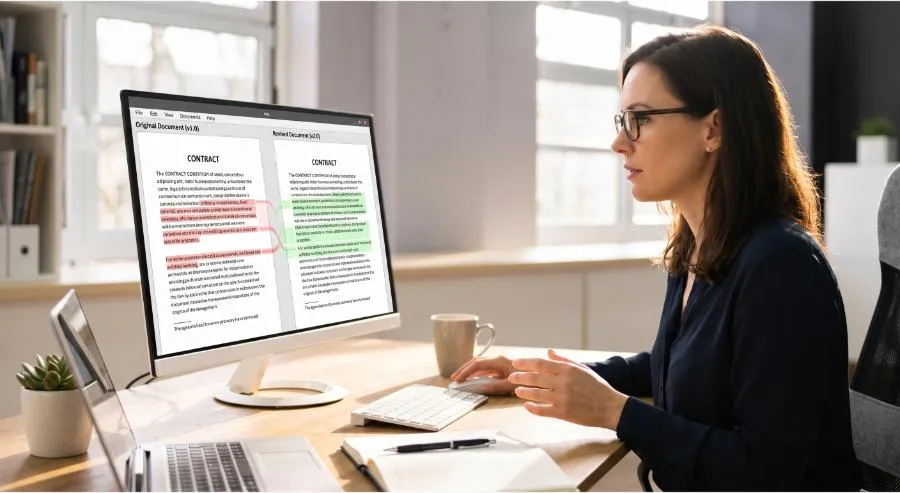
The result is a marked-up comparison document that lets you navigate changes rather than search for them.
Where Document Comparison Saves the Most Time
- Contract management: Compare draft vs. executed, or v1 vs. v2 after negotiation. Every changed clause is immediately visible without a full re-read.
- Policy and compliance: Verify that the policy document in use matches the approved version. Catch unauthorized edits or version drift in regulated documents.
- Legal discovery: Compare related documents for material similarities or differences at scale.
- Editing and proofreading: Review a revised draft against the original to confirm all requested edits were made and no unintended changes were introduced.
- Code and specification documents: Compare technical specifications, API documentation, or requirement documents across versions.
- Academic comparison: Identify textual similarities between two documents for research integrity or source analysis purposes.
What the Comparison Report Shows
- Full side-by-side view — both documents displayed simultaneously with changes aligned
- Change summary — total additions, deletions, and modifications with counts
- Change navigation — jump directly to the next change without scrolling
- Exportable report — download the comparison as a marked-up PDF for sharing or filing
Text-to-Text Comparison
Beyond PDF comparison, PDFSimpli supports direct text comparison — paste any two blocks of text and receive the same analysis. Useful for comparing email drafts, code snippets, policy language, or any text content where version control matters.
Getting Started
- Navigate to PDFSimpli’s Document Comparison tool
- Upload Document A and Document B (or paste two text blocks)
- Run the comparison
- Review the highlighted changes using the side-by-side viewer
- Export the comparison report if you need a record of changes
Final Thoughts
Every time you manually compare two documents, you accept the risk of missing something. PDFSimpli’s AI comparison finds everything — exhaustively, consistently, and in a fraction of the time. It’s one of the highest-impact efficiency gains available in any document-heavy workflow.
Compare any two documents in seconds. Try PDFSimpli’s Document Comparison Tool →









