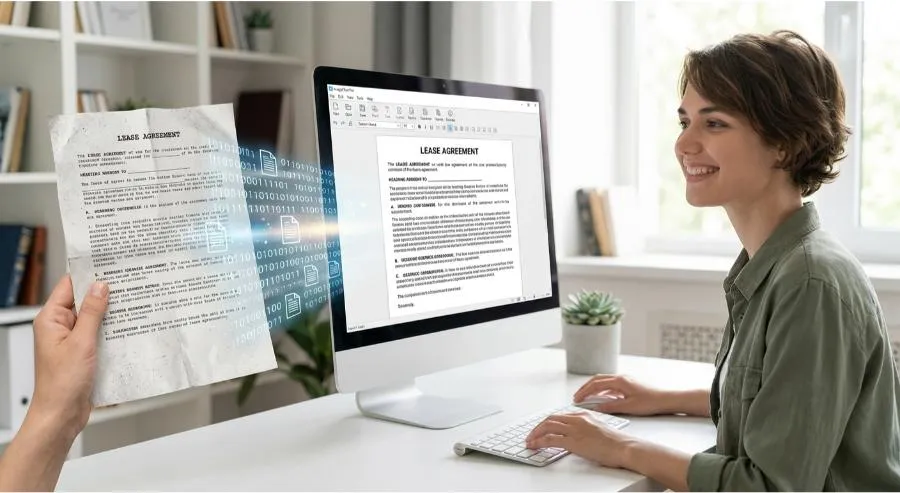
A scanned document looks like a document. It is not a document — it’s a photograph of one. You can’t search it, edit it, copy from it, or extract data from it. Every scanned invoice, signed contract, printed form, or photographed whiteboard is a dead end until you convert it.
That’s what PDFSimpli’s Image-to-Text tool does. Using optical character recognition (OCR) powered by AI, it reads the text in any image and converts it into fully editable, searchable, usable content.
What Is OCR and Why Does It Matter?
Optical Character Recognition (OCR) is the process of analyzing pixel patterns in an image and identifying the characters they represent. Modern AI-powered OCR goes further than traditional methods — it understands context, handles imperfect text, and maintains formatting structure.
The result: an image of a document becomes a real document, with all the utility that implies.
What You Can Convert
PDFSimpli’s Image-to-Text handles:
- Scanned PDFs — Documents that were scanned rather than digitally created
- Photos of documents — Smartphone photos of printed pages, forms, or signs
- Screenshots — Text from UI elements, error messages, or screen captures
- Handwritten notes — Printed handwriting converted to digital text
- Business cards — Contact info extracted and formatted instantly
- Receipts and invoices — Financial data extracted for records and reporting
- Whiteboards — Meeting notes captured on a whiteboard become editable text
The Business Value of Image-to-Text
Compliance and Records Management
Scanned contracts and legal documents become searchable and editable — no more manually retyping content from paper originals.
Data Extraction
Pull numbers, dates, names, and figures from scanned invoices or reports into spreadsheets and databases.
Accessibility
Converting image-based documents to real text makes them compatible with screen readers and assistive technologies.
Document Management
Searchable documents are findable. OCR turns your filing system from a manual lookup into a real search.
Form Processing
Digitize and process paper forms without manual data entry.
Accuracy You Can Rely On
PDFSimpli’s AI-powered OCR achieves industry-leading accuracy across common fonts, sizes, and layouts. Key factors that maximize accuracy:
- High resolution source images (300 DPI or higher)
- Minimal skew or rotation
- Good contrast between text and background
- Consistent lighting for photographed documents
Even imperfect images benefit from the AI’s contextual understanding — it doesn’t just match pixel patterns, it understands the language it’s reading.
Formats and Outputs
Upload formats: JPEG, PNG, TIFF, BMP, scanned PDF. Export formats: Editable PDF, Word (.docx), plain text (.txt).
Getting Started
- Upload your image or scanned PDF to PDFSimpli’s Image-to-Text converter
- The AI automatically detects text regions and language
- Review the converted text output — make any corrections in the editor
- Export as your preferred format, or insert the extracted text directly into a document
Final Thoughts
Every image sitting in your files that contains text is a missed opportunity for usability. PDFSimpli’s Image-to-Text converter takes seconds to run and permanently transforms how accessible your document archive is.
Make your scans searchable. Try PDFSimpli’s Image-to-Text Tool →