Every meeting, interview, webinar, and podcast contains valuable information that gets lost the moment the recording stops. Manually transcribing audio is slow, tedious, and expensive — and paying a human transcription service adds cost and delay to work that needs to move fast.
PDFSimpli’s AI-powered audio and video transcription eliminates both problems. Upload a file, and within minutes you have a clean, accurate text transcript ready to use, share, edit, and embed directly into a PDF document.
How AI Audio and Video Transcription Works
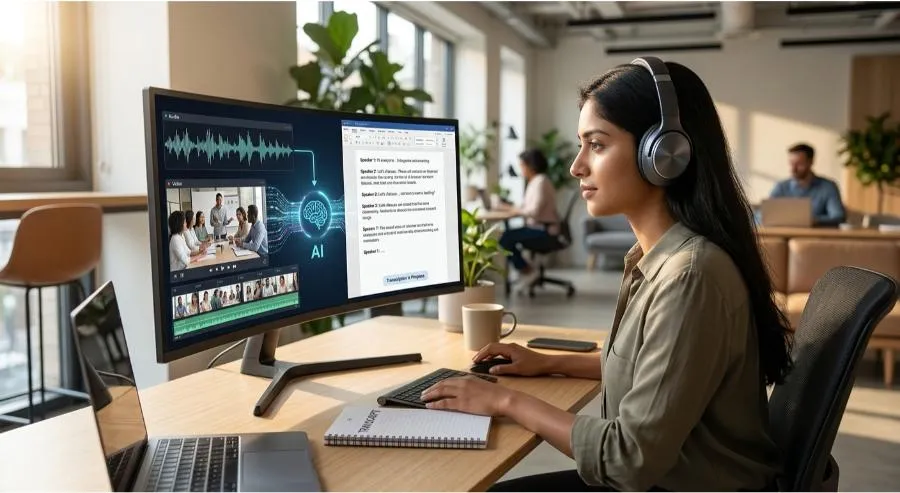
PDFSimpli uses advanced speech-to-text AI models to analyze audio waveforms, identify spoken words, and generate a formatted transcript. The AI handles natural speech patterns including filler words, overlapping speakers, and varying accents with high accuracy.
Supported formats include: MP3, MP4, WAV, M4A, MOV, and more.
What you get:
- Full timestamped transcript
- Speaker identification (where applicable)
- Punctuation and paragraph formatting applied automatically
- Editable output you can refine before exporting
Why Transcription Matters for Document Workflows
Most organizations record more than they document. Meetings produce decisions that aren’t captured. Interviews generate insights that never make it into reports. Webinars create content that stays locked in a video file no search engine can index.
Transcription bridges that gap — converting spoken content into searchable, shareable, editable text that can live in your document library, not just a video folder.
Key Use Cases
- Business Meetings: Transcribe recorded calls and meetings to create accurate minutes without anyone having to take notes in real time.
- Client Interviews: Turn UX research, customer discovery, or sales call recordings into quotable, analyzable text for reports and strategy documents.
- Podcasts & Webinars: Convert audio content into written articles, highlight reels, or SEO-ready blog posts.
- Legal & Compliance: Produce accurate records of proceedings, depositions, or recorded conversations.
- Academic Research: Transcribe interviews and focus group recordings for qualitative analysis.
- Content Repurposing: A 45-minute webinar becomes a whitepaper, a blog post, a FAQ document, and a series of social excerpts — all from a single transcript.
Transcription vs. Manual Note-Taking
| Factor | Manual notes | AI transcription |
|---|---|---|
| Accuracy | 70–80% (selective) | 90–95%+ |
| Time | Real-time + review | Minutes post-recording |
| Completeness | Highlights only | Full verbatim record |
| Searchability | Limited | Full-text searchable |
| Scalability | One note-taker = one meeting | Unlimited simultaneous files |
Getting the Best Results from Your Transcription
- Audio quality matters: Clear recordings with minimal background noise produce the most accurate transcripts
- One speaker at a time: Avoid overlapping speech where possible in recordings intended for transcription
- Use higher bit-rate files: Better audio resolution gives the AI more to work with
- Review before finalizing: AI transcription is highly accurate but benefits from a quick human review pass for proper nouns, technical terms, and names
Getting Started
- Navigate to PDFSimpli’s Transcribe Audio/Video tool
- Upload your audio or video file
- Select language and any speaker-labeling preferences
- Wait for the AI to process — most files complete in minutes
- Review and edit the transcript, then export as a PDF, TXT, or Word document
Final Thoughts
The value in your recordings is currently trapped in an audio file that nobody re-listens to. Transcription unlocks that value — making it searchable, shareable, and usable in every document workflow. PDFSimpli does it in minutes rather than hours.
Turn your recordings into documents. Try PDFSimpli’s Audio/Video Transcriber →