
PDFSimpli
/
Ai Solutions
/
Background Remover
/
Background Remover Photoshop

An AI-based alternative to Photoshop removal Background Remover

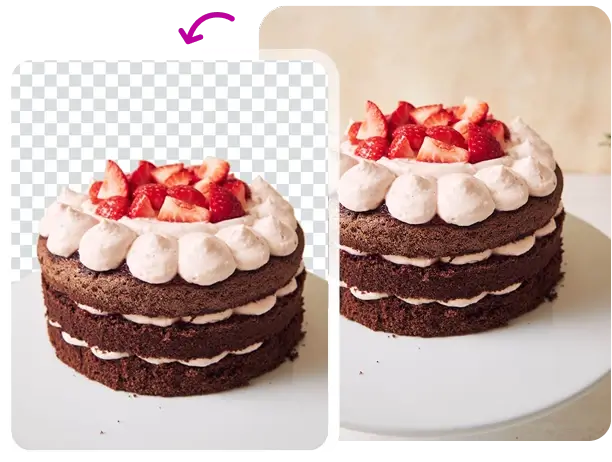
Our AI removes backgrounds automatically without requiring Photoshop, layers, masks, or manual editing tools

Output matches the precision of manual Photoshop work

Detail in hair and fabric stays sharp, no touch-up needed

The cutout saves as a high-resolution PNG file once it is complete

24/7 multilingual phone, chat
and email support | +1-844-898-1076

image-generator-hero

Remove image backgrounds with AI in three simple steps

Our AI removes backgrounds automatically without requiring Photoshop, layers, masks, or manual editing tools
Upload
Choose the image you want to edit; our AI will instantly identify the subject
Auto-remove
Watch as the background is removed with surgical precision in one click
Export
Choose a transparent background or add a new one before downloading your PNG

Translate with AI

Here's why people trust us

Frequently asked questions
Our AI removes backgrounds automatically without requiring Photoshop, layers, masks, or manual editing tools
How precise is the background removal on hair or fur?

Our AI uses edge-detection technology specifically trained to handle complex outlines like hair, ensuring a clean "cut-out" every time.

Can I replace the background with a custom image?

Yes. Once the original background is removed, you can leave it transparent or upload a new background image instantly.

Is the background removal process automatic?

Completely. Simply upload your photo, and the AI identifies the subject and removes the background in one click.

Can I remove backgrounds from logos?

Yes, it is the perfect tool for creating transparent PNG logos for use on websites or presentations.

Does it work on photos with multiple people?

Yes, the AI can distinguish multiple subjects from the background simultaneously.

An AI-based alternative to Photoshop removal Create and enhance images
Our AI removes backgrounds automatically without requiring Photoshop, layers, masks, or manual editing tools

Select Language